- +92-302-8577025
- qkzeetech@gmail.com
- shop 20, 1st floor Al-khalil Center Hall Road , Lahore
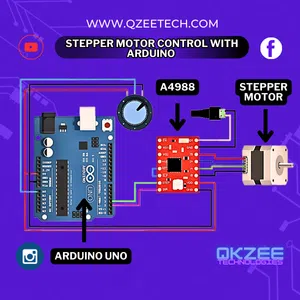
Stepper motors are widely used in robotics, CNC machines, and automation projects. They offer precise control over position and speed, making them an excellent choice for Arduino enthusiasts. In this guide, we’ll cover everything you need to know about controlling a stepper motor with Arduino.
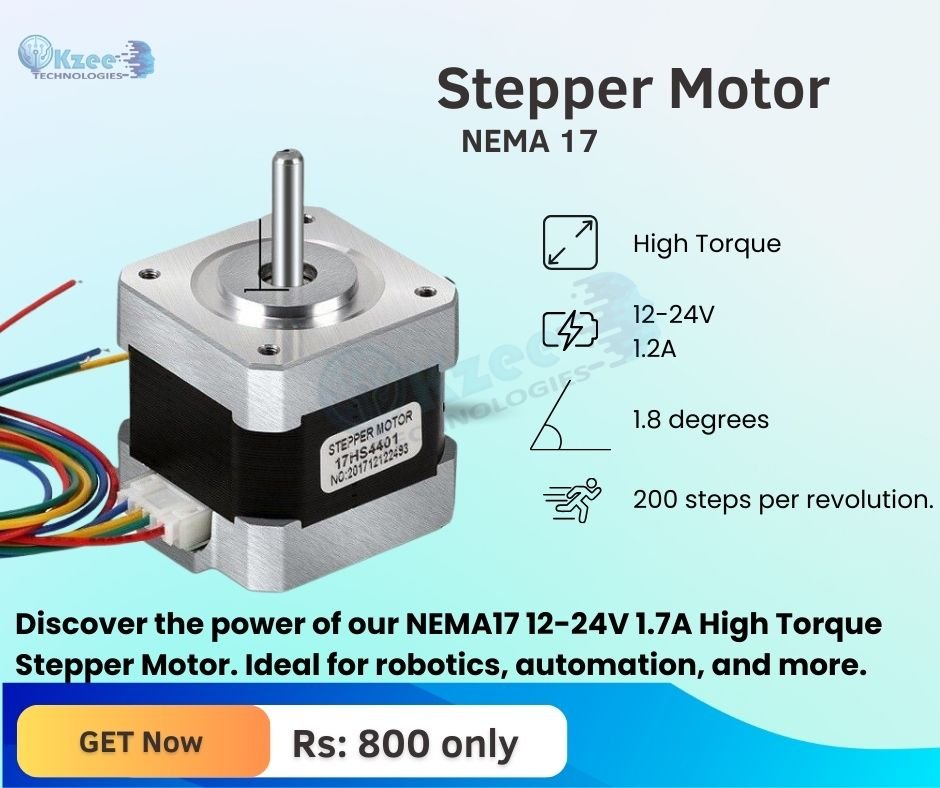
Stepper motors come in various types, but the most common are:
Before starting, gather these components:
External power supply (optional but recommended)
Jumper wires and breadboard
Stepper motors require special drivers for operation. Common options include:
ULN2003: Suitable for 28BYJ-48 motors, operates at 5V.
A4988: Used for NEMA 17 motors, supports micro-stepping.
DRV8825 provides higher current capability for powerful motors.
Follow these steps to connect your stepper motor to Arduino:
Connect the stepper motor to the driver board.
Connect the driver board’s input pins to Arduino’s digital pins.
Provide power (either from Arduino or an external source).
Ensure ground connections are common.
Here’s a basic code to control a stepper motor:
					// NEMA17 + A4988 Simple Motor Test

#define STEP_PIN    10
#define DIR_PIN     11
#define ENABLE_PIN  12

void setup()
{
  pinMode(STEP_PIN, OUTPUT);
  pinMode(DIR_PIN, OUTPUT);
  pinMode(ENABLE_PIN, OUTPUT);

  // Direction
  digitalWrite(DIR_PIN, HIGH);

  // Enable A4988
  // A4988 ENABLE is active LOW
  digitalWrite(ENABLE_PIN, LOW);

  digitalWrite(STEP_PIN, LOW);
}

void loop()
{
  digitalWrite(STEP_PIN, HIGH);
  delayMicroseconds(1000);

  digitalWrite(STEP_PIN, LOW);
  delayMicroseconds(1000);
}
This code rotates the motor forward and backward every second.
Speed Control: Adjusting RPM dynamically.
Acceleration: Using libraries like AccelStepper.
Microstepping: Enhancing precision with A4988/DRV8825.
Stepper motors draw significant currents. Using an external power supply prevents overheating and power issues. Connect the motor’s power to an external source while ensuring the ground is shared with Arduino.
For dual motor control, use multiple drivers and adjust the code accordingly:
					#include <AccelStepper.h>
AccelStepper stepper1(AccelStepper::FULL4WIRE, 8, 9, 10, 11);
AccelStepper stepper2(AccelStepper::FULL4WIRE, 4, 5, 6, 7);
void setup() {
    stepper1.setMaxSpeed(500);
    stepper2.setMaxSpeed(500);
}
void loop() {
    stepper1.runSpeed();
    stepper2.runSpeed();
}
The motor is not moving. Check the wiring and connections.
Overheating: Reduce current or improve cooling.
Skipping steps: Use micro-stepping and increase torque.
3D Printing: Controlling extruder and bed movement.
CNC Machines: High-precision cutting and engraving.
Robotics: controlling arms and wheels.
Automation: Home automation, conveyor belts, etc.
Use a dedicated power source.
Implement acceleration and deceleration.
Utilize micro-stepping for smoother motion.
Keep wires short to reduce interference.
Controlling a stepper motor with Arduino opens up a world of possibilities in automation, robotics, and DIY electronics. By understanding the components, wiring, and programming techniques, you can create precise and efficient motor control systems for your projects.