- +92-302-8577025
- qkzeetech@gmail.com
- shop 20, 1st floor Al-khalil Center Hall Road , Lahore
Ever wanted your creation to sense its surroundings? The HC-SR04 Ultrasonic Sensor uses sound waves to measure distance, making it a perfect fit for your robotics, automation, and science projects. Let's explore its features and how it can empower your innovation!
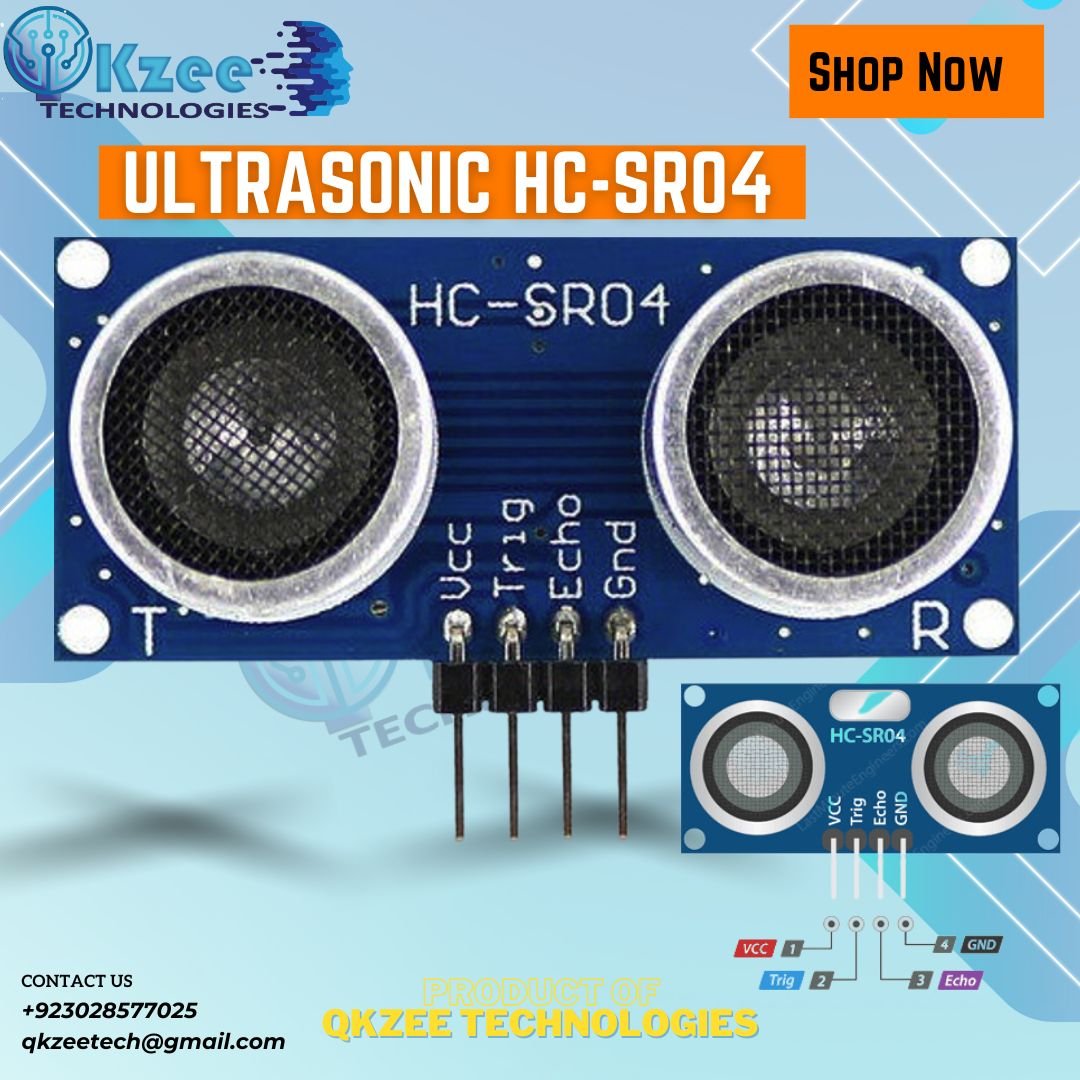
Imagine a sensor that acts like a bat, using sound to navigate the world. That's the magic of the HC-SR04! It's a popular choice for hobbyists and students due to its:
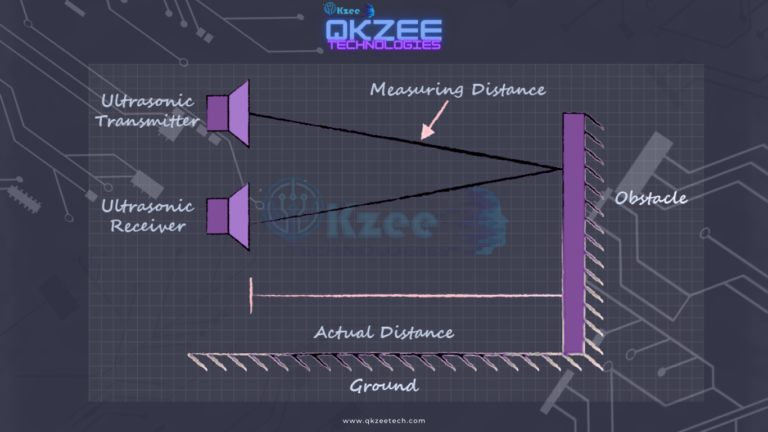
The sensor emits ultrasonic waves and measures the time it takes for the echo to return, calculating the distance.
That is the whole principle: no calibration, no setup — just time the echo. For the full comparison with PIR motion sensors, see our ultrasonic sensors guide.
| HC-SR04 Pin | Arduino Pin |
|---|---|
| VCC | 5V |
| TRIG | D9 |
| ECHO | D10 |
| GND | GND |
The 5V note: the HC-SR04 runs on 5V — VCC goes to the Arduino's 5V pin, not 3.3V. On 3.3V it either doesn't work or reads short. The ECHO pin outputs 5V, which is fine for an Arduino UNO input — but if you use a 3.3V board (NodeMCU/ESP32), put a voltage divider on ECHO first.
// HC-SR04 distance measurement — TRIG on D9, ECHO on D10
const int trigPin = 9;
const int echoPin = 10;

void setup() {
  Serial.begin(9600);
  pinMode(trigPin, OUTPUT);
  pinMode(echoPin, INPUT);
}

void loop() {
  digitalWrite(trigPin, LOW);
  delayMicroseconds(2);
  digitalWrite(trigPin, HIGH);
  delayMicroseconds(10);
  digitalWrite(trigPin, LOW);

  long duration = pulseIn(echoPin, HIGH);
  float distance = duration * 0.0343 / 2;

  Serial.print("Distance: ");
  Serial.print(distance);
  Serial.println(" cm");
  delay(500);
}
Upload it, open the Serial Monitor at 9600 baud, and hold your hand in front of the sensor — the distance prints live. The 0.0343 is the speed of sound in centimetres per microsecond, and the / 2 is for the round trip (out and back). For the full project with an LCD display, see our ultrasonic sensor project guide.
The HC-SR04 is the cheapest, simplest way to give your project eyes. Four wires, one short sketch, and your robot can see obstacles up to 4 metres away. It is not perfect — soft materials absorb the sound, and it can't see through glass — but for student projects, obstacle-avoidance robots and water-level monitors, nothing beats it for Rs 200.
If the sensor reads 0 cm, gives jumping numbers, or won't read past a certain distance, message us on WhatsApp and we'll help you debug it — or watch the build on our YouTube channel.
Chat on WhatsApp Watch on YouTube
Q1: Why does my HC-SR04 always read 0 cm?
Three usual causes: (1) TRIG and ECHO are swapped — TRIG goes to D9, ECHO to D10 in the sketch above; (2) the sensor is powered from 3.3V instead of 5V — use the Arduino's 5V pin; (3) the object is closer than 2 cm — the sensor's minimum range is 2 cm, anything closer reads 0.
Q2: Why do the readings jump around?
A reading that jumps a few centimetres is normal — the echo catches edges and angles. Average 5 readings and use the mean. If it jumps wildly (10 cm → 300 cm → 0), the sensor is probably aimed at a soft or angled surface (curtains, a slanted wall) that scatters the sound — aim it at a flat, hard surface.
Q3: Can the HC-SR04 see through glass?
No. Sound bounces off glass just like it bounces off a wall — the sensor reads the glass surface, not what's behind it. It also can't reliably detect very soft materials (cloth, foam) because they absorb the sound instead of reflecting it.
Q4: What is the maximum range outdoors?
The datasheet says 400 cm, but outdoors you will usually get less — wind, temperature and humidity all affect the speed of sound, and there is nothing to reflect off in open air. Indoors, 3–4 metres is realistic; outdoors, expect 2–3 metres.
Q5: HC-SR04 or IR sensor — which should I use?
For distance measurement, the HC-SR04 — it gives you an actual number in centimetres. An IR obstacle sensor only tells you "something is there" (yes/no) within 2–30 cm. Use the IR sensor for line following and edge detection, and the HC-SR04 for measuring distance and avoiding obstacles. See our ultrasonic sensors guide for the full comparison.